3 Levels of Claude Workflow Stack That Close the Knowledge Work Loop
LinkedIn VOC research, Visual generation, and a deployed product page in 10 minutes, plus 9 workflow prompts to expand from each level for your workflows

This is the session recording and recap for Practical AI Builder Live Session. The session covers Model Context Protocol (MCP): what it is, how to choose the right level for a task, and three live workflows with Claude connected to the right MCPs.

Ten minutes. Claude created a landing page, hooked up payments, and made it a live URL. I didn’t open a single dashboard.
That happened at the end of this live session, and it is the most appreciated moment I have of what a fully connected Claude can do.
In previous sessions, we’ve used Claude as a thinking partner, running dialogues that surface your own edge.
Useful. But every session ended the same way.
Claude had the plan. I was the one clicking buttons, switching tabs, copy-pasting outputs into other tools. The insights stayed in the chat. The execution stayed with me.
This session completely changed that.
The Practical AI Builder Program is a live cohort for people who are already using AI but want to build real systems that fit their work. This is the session recap for Month of May. If you want access to the full video, slides, and live-build outputs, they are in the Build to Launch member resources.
What’s inside:
🎁 Session resources: Installation and workflow materials in the BTL portal — slides, full recording with captions, and live outputs from all three demos.

How AI Use Has Advanced
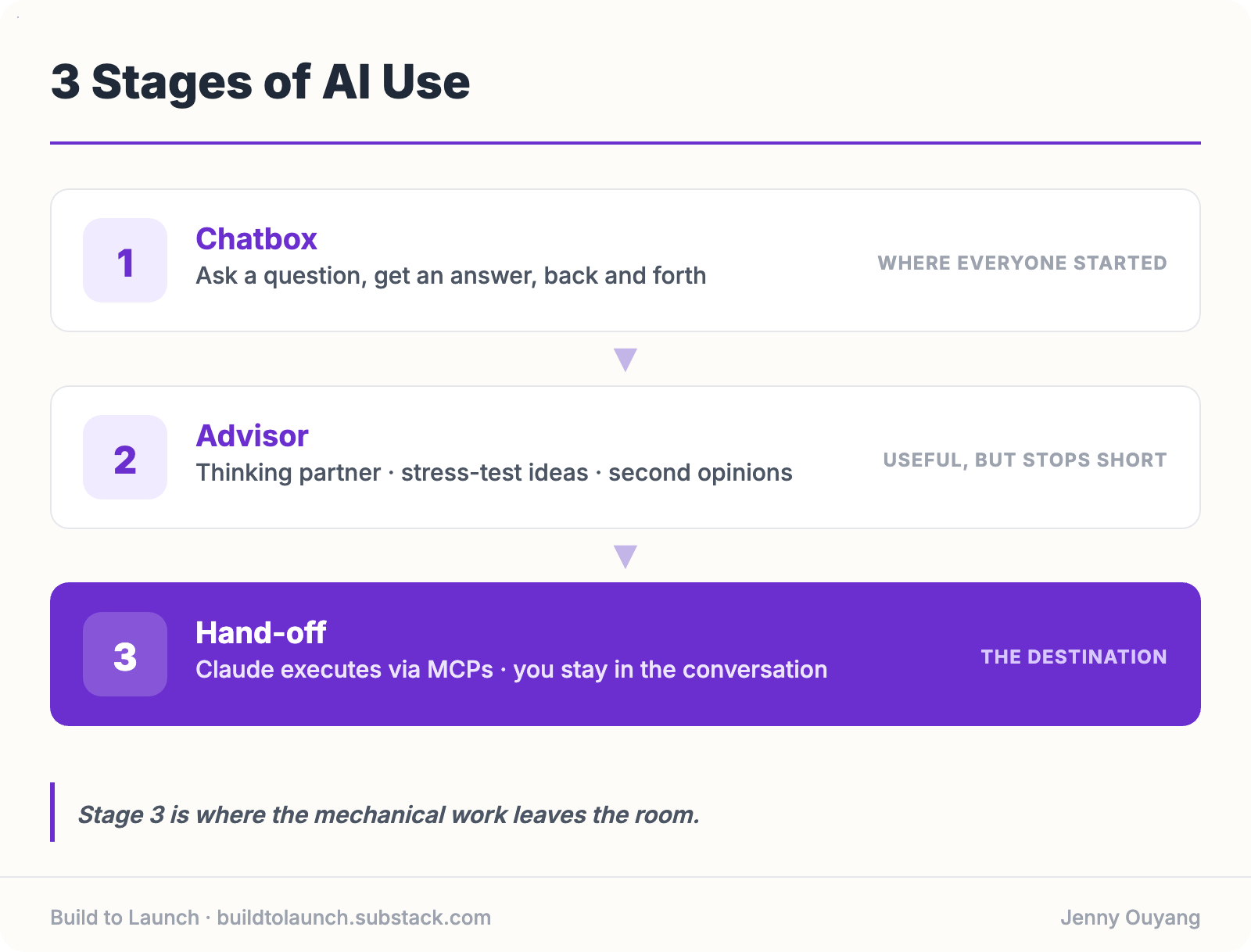
Most people start using AI as a chatbox and gradually go through these three stages.
Stage 1 is the chatbox.
You ask a question, get an answer, go back and forth. This is where almost everyone started. It is also, for many people, where they still are.
Stage 2 is the advisor.
Claude becomes a thinking partner. You stress-test ideas, get second opinions on decisions. It is genuinely useful. But it stops short.
Stage 3 is the hand-off.
Claude does not advise, it executes. You stay in the conversation. Claude does the research. Claude edits visuals. Claude handles payments. You keep thinking. The mechanical work leaves the room.
MCPs (Model Context Protocol) are what make Stage 3 possible. They are connectors: a standard protocol that lets Claude communicate directly with the tools you already use. Gmail. Notion. Canva. Stripe. Vercel. If a tool exists, there is usually an MCP for it.
The technical setup is a few minutes. That is not the hard part.

Fix This Old Habit to Be Ready for Agentic AI
The reason most people do not use MCPs is that leaving the chatbox feels normal.
You have been doing it for years. A notification comes up, you click over.
You need to update a spreadsheet, you open a new tab.
You finish the Claude conversation, then go execute the thing it told you to do.
The break feels like work.
MCPs require you to notice that break and decide not to make it.
I use one rule to catch that habit. Whenever I am about to leave the chatbox to go do something, I stop and ask:
Does this have to be me?
If it is a one-time task, fine. But if I have done it twice, I look for an MCP. If one exists, I install it. If not, I build one.
The overhead of installing a connector is often less than ten minutes. The overhead of leaving the chatbox every time that task comes up is permanent.
If you are evaluating which MCPs are worth installing, I use these Claude MCPs daily and listed the installation guide and personal verdicts for each.
In the session, Eike mentioned a preference for CLI-first over MCP when a command-line interface is available: it connects more cleanly, machine-to-machine.
I agree for technical workflows. For most builders getting started, MCP is the lower-friction path in.
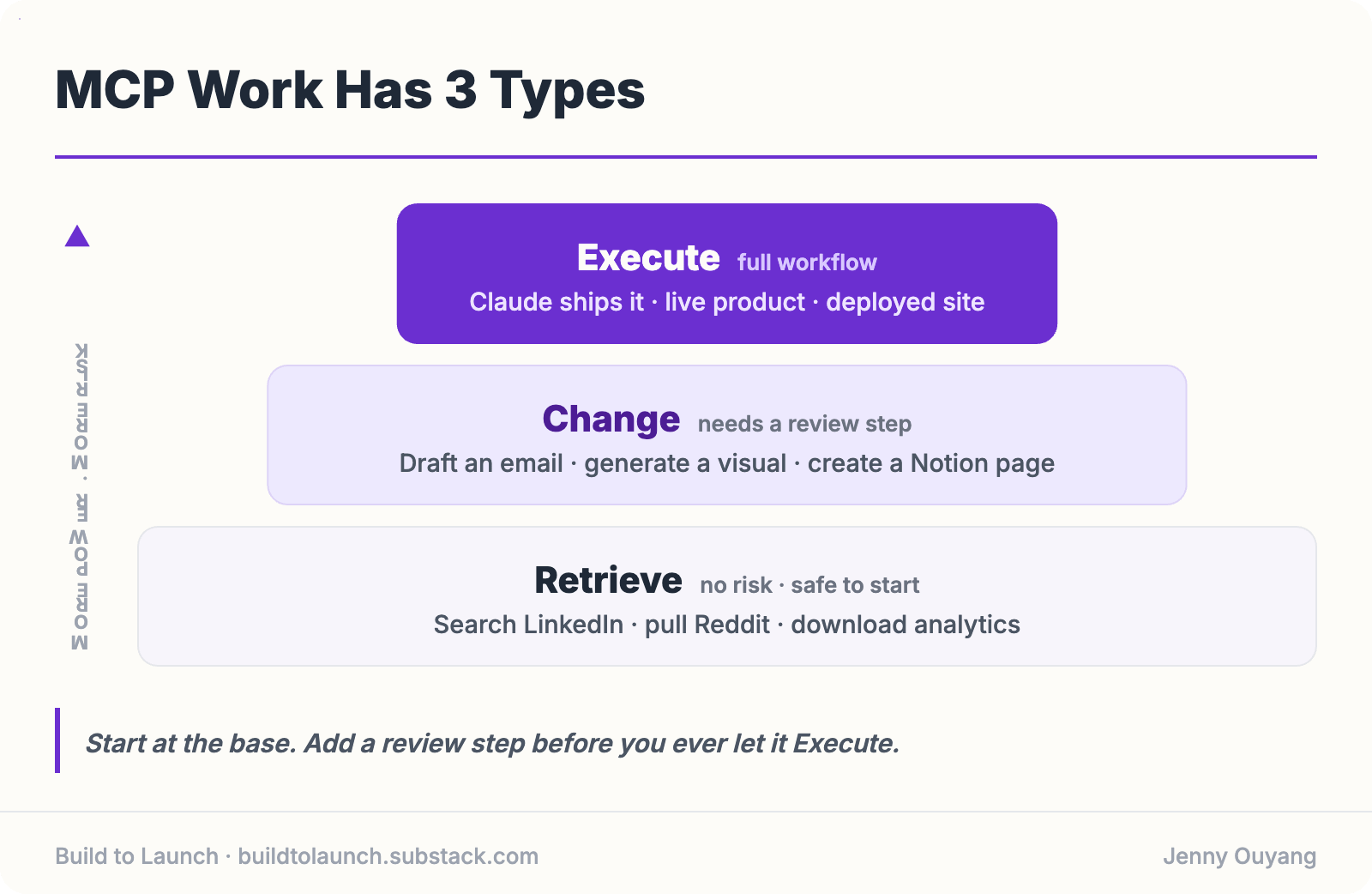
MCP Work Has 3 Types
Once you decide to stay in the chat, you need to know what to ask Claude to do.
MCPs can help in three ways. Most introductions only cover the first.
Retrieve is pure data gathering. Search LinkedIn. Pull a Reddit thread. Download analytics. This is mechanical work with no real risk — you are collecting information. Safe to start here.
Change is modification. Draft an email. Generate a Canva design. Create a Notion page. This is where people get cautious, because changes can be wrong. A sent email cannot be unsent. That caution is reasonable. Build in a review step before executing.
Execute is the full workflow. Claude builds the thing and ships it. A working product page with a live payment link. A deployed website. A complete process that runs while you are in another conversation. This is Stage 3 in practice.
The session had one live walkthrough for each level.