
Best Practices for AI-Powered Software Engineering
Move Fast and Build Things That Actually Work


I’ve spent the past year obsessed with a question: how do you actually ship quality code with AI tools?
Not demos. Not prototypes that look good in screenshots. Real production systems that don’t collapse under their own technical debt.
If you’ve been following along, you know how deep this obsession runs. I’ve written about getting started with Claude Code in 30 minutes, using Cursor as a second brain for builders, and making vibe coding production-ready without losing your mind.
In Build to Launch, we treat AI coding tools like Cursor and Claude Code not just as assistants, but as collaborators. Along the way, we’ve broken down prompt engineering that actually works, and documented the engineering principles that prevent 80% of disasters.
Because here’s the truth: AI doesn’t make bad builders good. It makes good builders faster, and bad builders faster too.
What’s fascinating is how split the engineering world is right now. Some senior developers won’t touch AI because they don’t trust it. One hallucination, and they’re out. Others are embracing it completely. Their years of engineering experience become an unfair advantage, helping them push AI to its productive edge.
That’s what I really appreciate about today’s guest.
Jeff Morhous , senior software engineer and author of The AI-Augmented Engineer, has been living this question from the inside. He’s shipped real products using the same tools many of us explore here — GitHub Copilot, Cursor, Claude Code — and has developed a practical, grounded philosophy for using them responsibly.
What I love most about Jeff’s perspective is that he doesn’t dismiss vibe coding or AI-assisted workflows like many engineers do. He embraces them, but with the precision of someone who’s been burned before. He talks about edge cases that crash production, the career implications for new engineers entering this hybrid era, and the subtle technical decisions that matter when you’re shipping for real.
We both agree: AI doesn’t replace engineering judgment, it amplifies it. Good or bad.
If you want to dive deeper into his world, here are a few of my favorite pieces from him:
In this guide, Jeff shares his battle-tested practices for using AI in software development. From the right mindset to effective tooling to catching AI’s inevitable mistakes, these are the principles that bridge the gap between moving fast and shipping quality.

Here’s what he has to share:
As a senior software engineer and author of The AI-Augmented Engineer newsletter, I’ve spent countless hours integrating AI into my workflow. My goal is to build scalable apps that work. Not AI-generated slop. It’s a ton of fun, so I love to teach others how to do the same. In this guide, I’ll share my hard-earned best practices for using AI in software development.
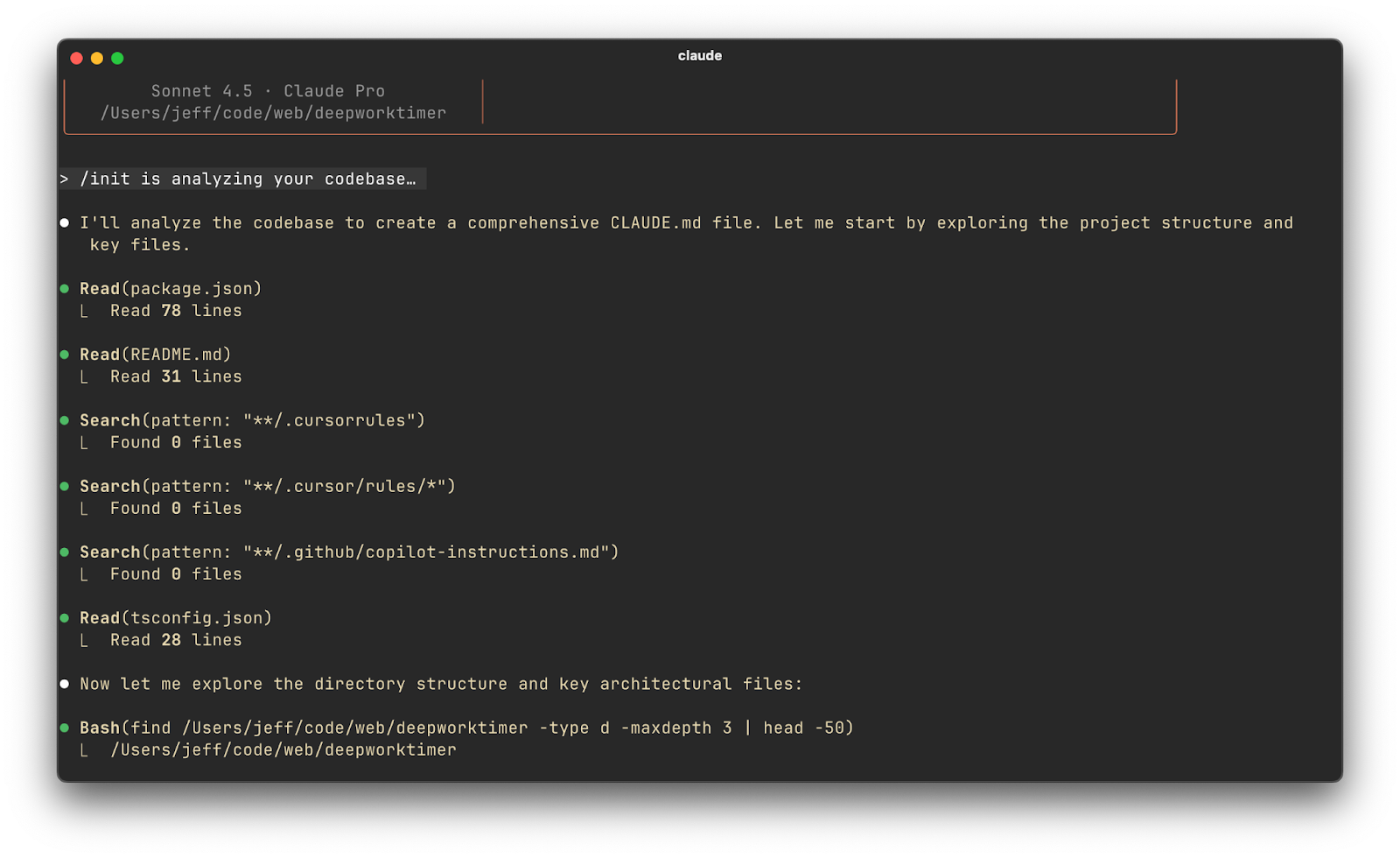
The advice applies whether you’re chatting with ChatGPT, coding with GitHub Copilot, testing out Cursor, or even wrangling more autonomous tools like Claude Code. Let’s dive in.
Principles & Mindset
If you’re going to use AI to help you code, it’s important you keep some principles in mind. Here’s what I recommend.
First, treat AI as your partner. The rise of coding assistants is a new form of pair programming. I approach AI as a junior developer on my team. It’s fast, tireless, and great with details, but it still needs guidance. Because of my background in software engineering and awareness of best practices, I can iterate with an AI assistant to produce working, reliable code. In short, your skillset is the compass, and the AI is a powerful engine that follows your direction.
Second, stay in control of the design of your software. Large language models are surprisingly good at generating code (“code is just another language” after all), but they fall short in higher-level decision-making like system design, strategic planning, and debugging. They can help with these things (more on that later), but aren’t good in isolation. That’s where you come in. Always start a project with a clear plan or architecture in mind. Without a clear idea of how you would structure the solution, an AI may produce a jumble of disconnected snippets that are hard to integrate or maintain. This is the fundamental difference between AI-augmented software engineering and “vibe coding”.
Remember to keep a collaborative, iterative mindset. Use AI in a back-and-forth manner, almost like pair programming. Ask it to generate code, review the result critically, and then refine your prompt or the code as needed. Some developers make the mistake of treating the AI as a one-shot oracle and pay for it later. I’ve done this, and it sucks to clean up the mess.
Lastly, don’t outsource your judgment. No matter how confident an AI’s answer looks, you are ultimately responsible for the code that goes into production. Always sanity-check and test what the AI provides. If something seems off, trust your instincts and dig deeper. It’s easy to get lulled into accepting suggestions without scrutiny. A brutal truth I’ve observed (and one I caution my colleagues about) is that most developers use AI coding tools wrong. They treat GitHub Copilot as a fancy autocomplete and use ChatGPT or Claude only for trivial Q&A. Those who really leverage these tools effectively are shipping features faster – and getting promoted – because they still apply critical thinking on top of AI assistance.
Tooling & Setup
The ecosystem is evolving quickly, but the options below apply regardless of the specific tool. Many engineers start with the easiest entry point like ChatGPT in a browser to ask coding questions or get small code snippets. This is a great way to get your feet wet. Over time, you’ll likely integrate AI deeper into your development environment:
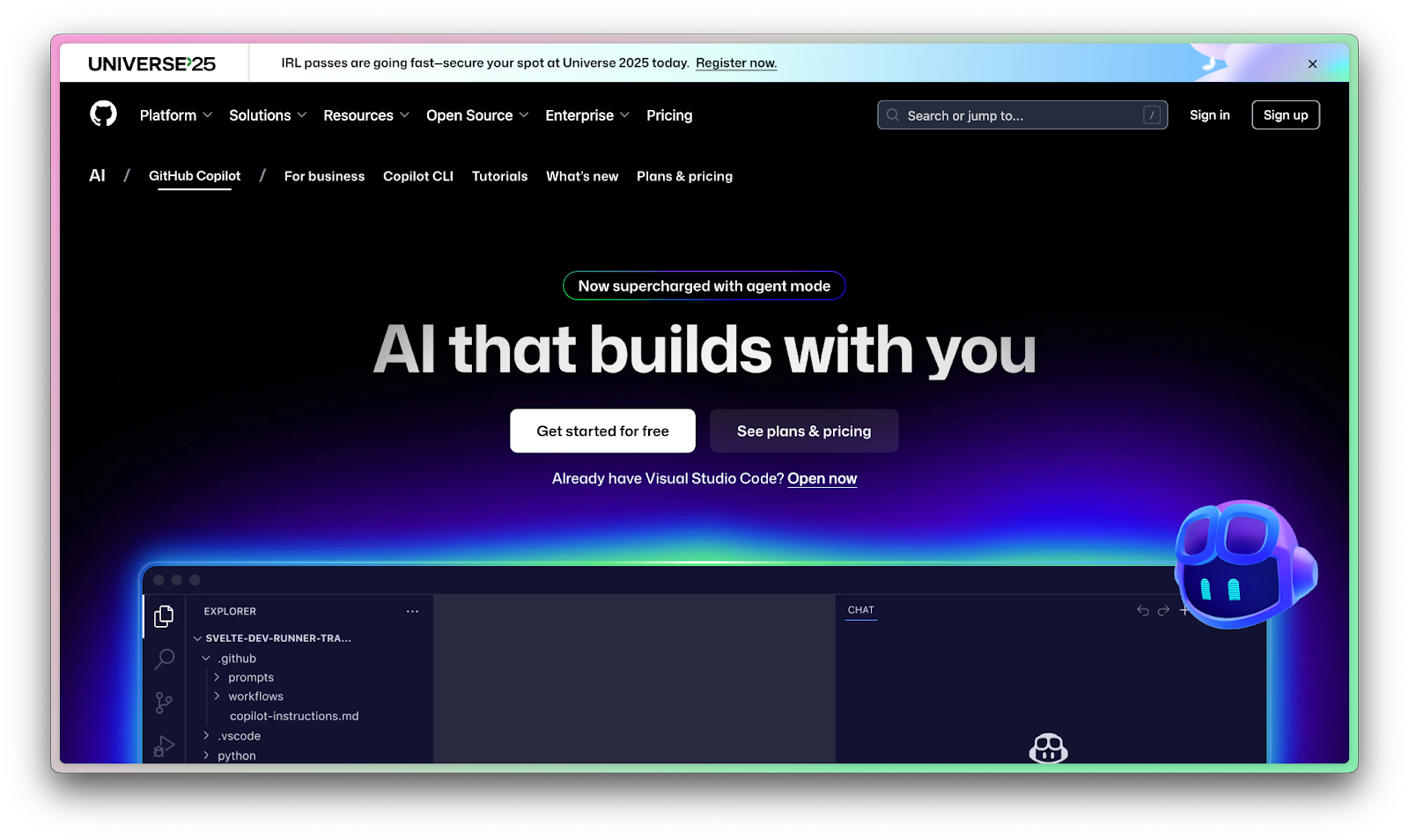
Integrated IDE assistants (e.g. GitHub Copilot): These act like super-charged autocompletion, suggesting code as you type in your editor. Copilot, for instance, “examines the code in your editor” and offers real-time suggestions in context.
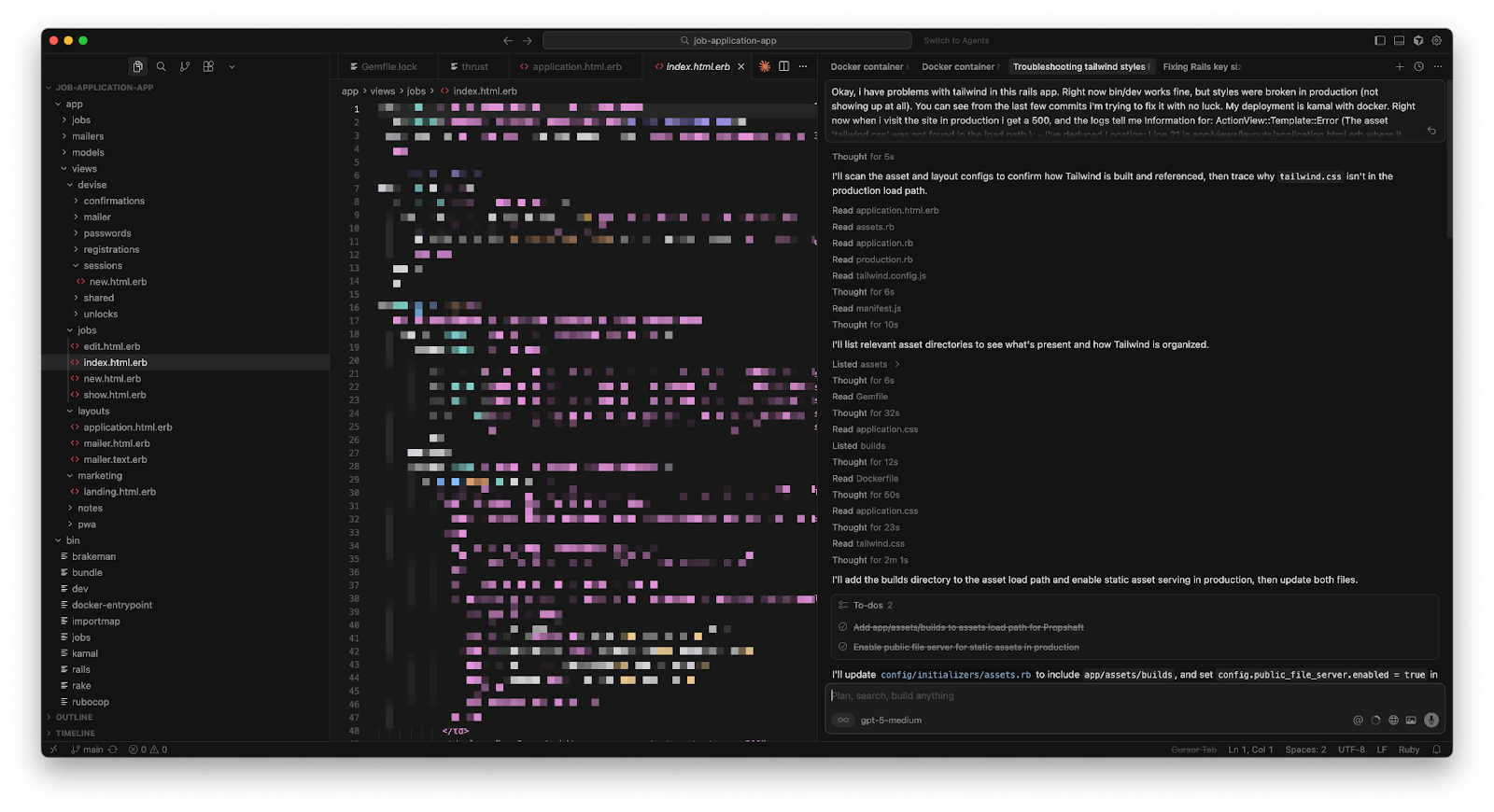
AI-enhanced IDEs (e.g. Cursor): Cursor is essentially a VS Code–based editor with AI woven throughout. It has deep awareness of your entire codebase, offers chat and inline fixes, and can perform multi-file edits on command. (For a deep dive, see Cursor 2.0’s latest features.) The experience is like having an AI pair programmer inside your IDE at all times.
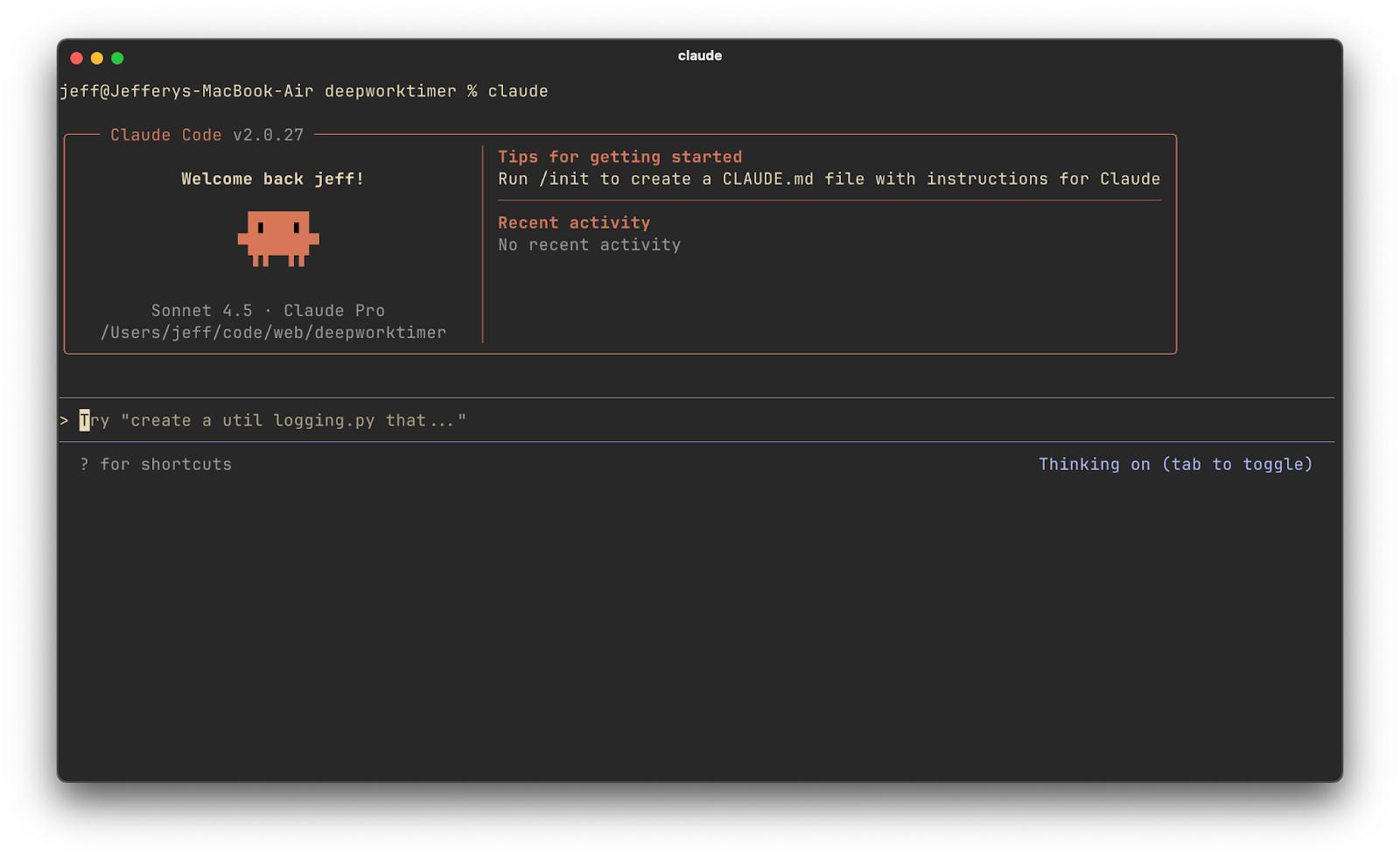
Agentic AI tools (e.g. Claude Code, GPT-4 agents): These are a step beyond simple autocomplete – they can analyze whole repositories, suggest architectural changes, and even perform autonomous coding tasks. For example, Claude Code (Anthropic’s AI coding assistant) can handle extremely large context windows (entire repos), explain complex bugs, and even propose multi-file refactors.
No matter which tools you choose, set up your environment for success. Make sure the AI has access to the relevant context. For IDE tools like Copilot or Cursor, that means opening the relevant files in your editor, so the AI “sees” the surrounding code and project structure. If you’re using a chat-based tool, provide it with necessary code snippets or descriptions of the codebase. A little prep work goes a long way.
Also, ensure you’re using the latest or most suitable model for your task. If you’re having issues, try toggling to a different model altogether.
AI as Autocomplete
One of the most immediate benefits of AI in coding is treating it like “autocomplete on steroids.” This is like the 80/20 of AI assistance. For example, I’ll start writing a function and my AI assistant will suggest the next few lines intelligently, not just based on syntax but on context. This can significantly speed up writing boilerplate code, repetitive sections, or things that follow common patterns (like loops, getters/setters, API calls, etc.). But to get the most out of this capability, you need to follow a few best practices:
1. Provide context to the AI. Autocomplete-style suggestions are only as good as the context the model has. If you open a brand new file and write a vague function name, the suggestions might be off-base. I make it a habit to have relevant files open (so the AI can see usage patterns, class definitions, constants, etc.) and to write a quick comment or docstring at the top of my file explaining what I’m about to do.
2. Use meaningful names and small steps. Remember the adage “garbage in, garbage out.” If you name your function doThing() and expect magic, you’ll be disappointed. Use descriptive names for functions and variables (e.g. fetchAirports() instead of foo()), because the AI will key off those names to infer intent. When I rename a variable to something clear, I often see the suggestions improve immediately.
3. Prime with examples or usage. If you want the AI to generate code in a certain style, or using a certain library, show it an example first. Sometimes I’ll write one instance of a pattern manually, then let the AI generalize it for the next cases.
4. Curate and review suggestions. Using AI as autocomplete doesn’t mean accepting whatever it throws at you. I often see multiple suggestion options and I’ll cycle through them (most tools let you see alternative suggestions). If none look good, I’ll tweak my comment or start writing the function in a different way to nudge the AI.
Effective Prompt Patterns for Engineers
Interacting with AI through natural language prompts is a skill often called prompt engineering. (For a universal prompting framework, check out the complete guide to prompting AI coding tools.) Here are some prompt patterns and tips I use to get better results from AI, especially in chat-based tools like ChatGPT or Claude:
First, vague prompts yield vague answers. Rather than asking something generic like “How do I save a file in Python?” I would ask: “In Python, using pandas, how can I save a DataFrame to a CSV file without the index column?” The latter contains the context (pandas DataFrame) and a specific requirement (no index in output).
AI models love examples. If you can show the desired output format or a small example, do it. When I need SQL queries, I might provide a sample table schema and ask for a specific query. If I need a function to follow a certain interface, I’ll describe or show that interface. Sometimes I even write a quick pseudocode or a comment outlining the steps I expect, and then ask the AI to flesh it out.
If you have a complex problem, you can ask the AI to walk through the solution. For example: “First, outline the steps to implement feature X in a Django app, then provide the code for each step.” Decomposing the task in the prompt can lead the AI to produce a more structured answer.
Lastly, leverage multiple prompts for complex tasks. For example, if I’m building something substantial, I might use one prompt to outline a design, another to generate specific functions, and another to write tests. Breaking up the conversation or using multiple sessions can keep each focused and within manageable context. Long single-chat sessions can cause the AI to lose focus or get confused with too much history.
Beyond these tips, I often reference these prompt engineering tips from Anthropic:

Onboarding into New Codebases
Joining a new project or inheriting a large codebase can be really mentally taxing. This is an area where AI truly shines as a personal tutor and guide through unfamiliar code. When I start on a new repository these days, I use AI tools to ramp up way faster:
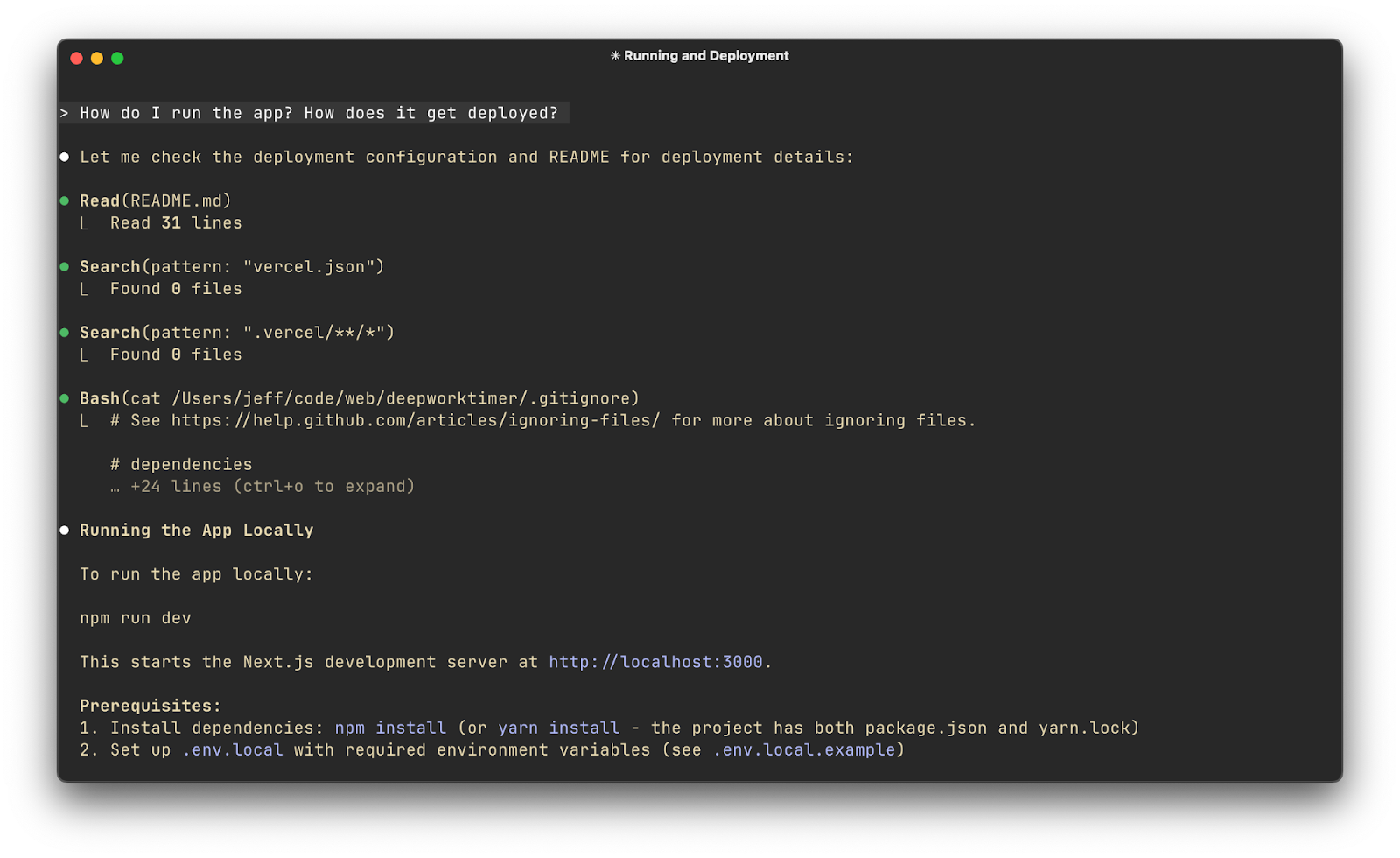
Instead of manually tracing through every line, I can paste a function or class into ChatGPT and prompt: “Explain what this function does and how it fits into the overall system.” Often, the AI will produce a concise summary of the code’s purpose. This is like having a senior engineer sitting next to you, giving a quick overview. Tools like Cursor make this even easier – since Cursor has context of your entire codebase, you can highlight a function and ask the built-in AI chat “What does this do?” or “Why was this approach taken?” and get an explanation grounded in the actual code.
Many AI dev tools allow semantic code search. For example, I can ask, “Where in the codebase is the user’s role checked for admin privileges?” and the AI-driven search will find relevant references (even if the exact keywords differ). This beats plain text grep because the AI can understand synonyms or concepts.
Suppose the new codebase uses a framework or library I’m not well-versed in. Instead of reading the entire documentation up front, I use AI as I encounter pieces of it. For example, “This project uses XYZ library for state management – can you explain how it’s used in this code snippet?” The AI can recognize the library usage and give a tailored explanation.
Of course, be cautious. AI explanations are not always 100% correct. You will still have to use your brain, that’s the fun part!
Using AI for Testing
Testing is an area that can benefit hugely from AI. It’s one of those tasks we know is essential for quality, but often there’s time pressure to cut corners. I’ve started using AI to augment testing in a few ways:
Writing unit tests can be tedious, especially thinking of all edge cases. Now, when I finish writing a function, I’ll prompt ChatGPT: “Give me unit tests for this function that cover normal cases, edge cases, and error cases.” If I feed it the function code, it will output a handful of test scenarios.
If you’re doing TDD, you can actually have the AI write tests first from a spec. I’ve tried this: describe the function’s intended behavior to the AI, get it to output a suite of failing tests, then implement until they pass. It’s a bit meta, but it’s like the AI is your collaborator in writing tests. It ensures you don’t forget a case and can speed up the red-green-refactor cycle.
That said, AI is not a silver bullet for testing. You must review and validate any AI-generated tests. I’ve seen cases where ChatGPT wrote a test with an assertion that was simply wrong for the intended behavior. Tests that always pass are worse than no tests at all! (For a practical manual testing checklist, see Jenny’s smoke testing guide for vibe coders.)
In practice, I often actually write my tests manually, then use AI to write code that passes those tests! This is a hack to be more confident in the final result of a long agentic coding session.
Catching AI’s Mistakes
We’ve talked about using AI for all sorts of tasks, but we have to address the elephant in the room. AI makes mistakes. Sometimes really dumb ones, other times subtle ones that are hard to notice. Some people refuse to use AI to help them write code for this reason. I think there’s some wisdom to this, but it’s a bit too heavy handed. To use AI effectively, you must have a strategy for catching and correcting these mistakes before they bite you in production.
Always review AI output critically. This is the golden rule. Whether it’s code, design suggestions, or test cases, never assume the AI is 100% correct. It might compile, it might even run, but that doesn’t mean it’s right.
Test the LLM’s code thoroughly. If the AI writes code, run it. If it’s a function, write some extra tests. If it’s a script, run it on sample data. Don’t just assume because the code looks reasonable that it works for all cases. Sometimes the logic might contain a flaw that isn’t obvious until execution. I’ve been burned by this when I was in a hurry.
Don’t forget, you can always ask the AI to explain its answer. This is one of my favorite approaches. If the AI gives me code, I’ll often follow up with: “Explain how this code works, step by step” or “Explain why you chose this approach.” When the AI explains, sometimes it reveals misunderstandings. For example, it might say “We use variable X here to store the user input” when actually the code it gave doesn’t do that (maybe it forgot or did something else). By reviewing the explanation, I can catch if the AI’s reasoning doesn’t line up with the code.
Lastly, keep the human in the loop. Ideally several humans. This can’t be overstated. AI can speed up mundane tasks and give you a superpower, but it can also confidently lead you off a cliff if you’re not paying attention. Maintaining an attitude of “trust, but verify” is crucial.
Data, Privacy, and Intellectual Property
This section is critical if you’re going to use AI at work. You have to be mindful of the data you’re sharing and the intellectual property implications of AI-generated code. This is a critical aspect of “AI-powered” development, especially in a professional setting. Here’s some quick rules:
Don’t use public services with confidential information (including code!)
Use enterprise versions of these tools to keep your company’s data safe
Beware of licensed code coming from an LLM (enterprise tools often have settings for this)
This is a pretty big topic in itself, so I recommend you check out the detailed guide I wrote if you want to know more:
What will you build with AI?
AI has turbocharged many aspects of software engineering for me. From coding and testing to design and documentation, I’ve found these tools very helpful. But success with these tools requires the right mindset (collaborative, critical, quality-focused) and practices (prompting well, verifying always, and minding the broader implications of using AI). By following the best practices above, you can harness AI as a powerful ally in building robust, scalable software while avoiding the common traps.
If you want to join me on this journey, we’d love to have you as a reader over at the AI-Augmented Engineer

 | A guest post by
|
Thanks for sharing this! I love getting to share hands-on tactical tips like these
This guide is a masterclass in AI-augmented engineering. The emphasis on maintaining human judgment, iterative collaboration, and thorough testing while leveraging AI mirrors how top engineers scale productivity without sacrificing quality.