
Claude Code Dynamic Workflows: How 100 Agents Research, Write, and Build in One Session
Claude spins up 100 agents to research and verify one task. What the feature does, plus how to run the same pattern in any AI tool.

Claude Code can now write its own program and run a hundred agents at once to finish one complex task. The feature is called dynamic workflows. Most of us saw the name and scrolled past. This breaks down what dynamic workflows are, what those agents actually do, and how to run the same pattern on your own research and writing, even without the feature.

Claude ships features faster than anyone can track.
Within 8 months, it’s pushed out major updates including Skills, MCP servers, plugins, connectors, cowork, routines, and model upgrades.
After a while you stop looking.
For new drops, I usually let it settle into how I already work, and trust it will find its place when it matters. Most features do, so I let them slide.
But this one caught me off guard.
I had asked Claude to research about MCP servers. A normal Tuesday. It spun up 101 agents and ran them for 13 minutes, 723 searches and page-reads, before it handed me anything. 75 of these agents were fact-checking, each trying to prove a finding wrong.
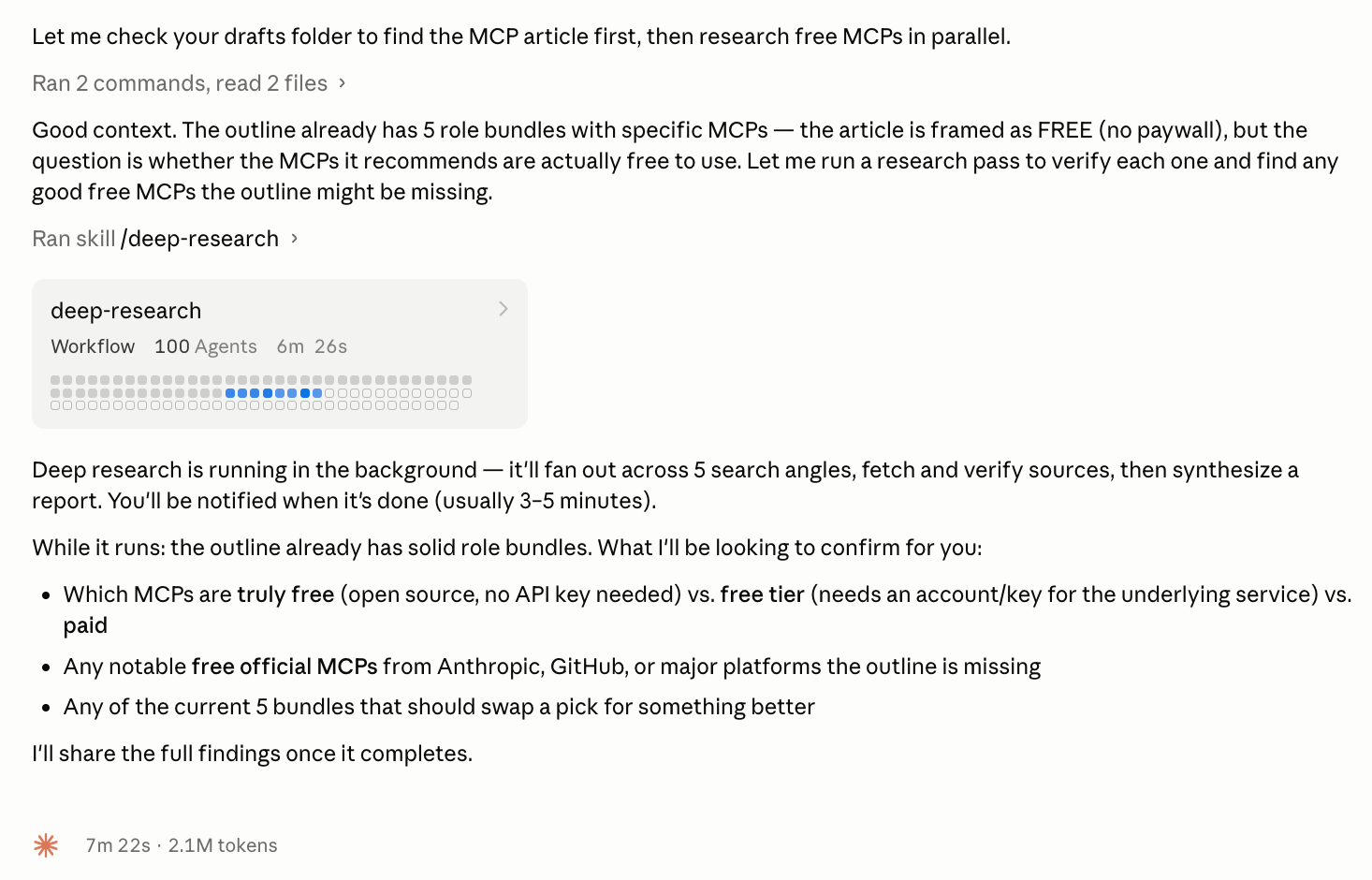
I was not expecting that. That is not my usual workflow. So I stopped the research and took the feature apart instead.
What it ran is called a dynamic workflow. Claude had reached for a built-in one, deep-research, on its own.
This article goes through what happened: what a dynamic workflow is, what those 100 agents actually did, what it means for your work, and how to take the same pattern into workflows of your own.
What’s inside:
By the end: a workflow pattern you can run on your own research, writing, or analysis, with or without the feature built-in
Hi, I’m Jenny 👋
I believe anyone can thrive with AI, not by mastering the tools, but by building real things with them. I run Build to Launch and the Practical AI Builder program, where we go from experimenting to shipping. Come build with us.
If you’re new to Build to Launch, welcome! Here’s what you might enjoy:

What dynamic workflows are in Claude Code
A dynamic workflow turns one request into many agents working in parallel, with the results checked before they reach you.
You describe the task. Claude writes a small program that breaks the work into pieces, runs many copies of itself on those pieces at the same time, and merges what comes back.
In Anthropic’s own words: “a dynamic workflow is a JavaScript script that orchestrates subagents at scale.”

/deep-researchThe feature shipped May 28, 2026, as a research preview. It runs in Claude Code v2.1.154 or later.
Two questions matter before anything else, because the answers decide whether this is even for you.
Where does it run?
Dynamic workflows live in Claude Code: the command line, the desktop app, and the VS Code extension. Plus the Claude API, Amazon Bedrock, Vertex AI, and Microsoft Foundry.
They are not in claude.ai web chat. They are not in the mobile app.
Is it only for coding?
No. The one workflow Anthropic ships ready to use is called deep-research, and it does not touch code.
The official examples include a research question that needs sources cross-checked and a plan worth drafting from several angles before you commit.
This is the thing that ambushed me was a research run.
So the feature lives inside a coding tool, but the work it does is general: research, writing, planning, analysis. Any task you want split many ways at once.
What 100 agents do in one workflow run
In one run, the workflow went from my question to a cited report with the weak claims already thrown out.
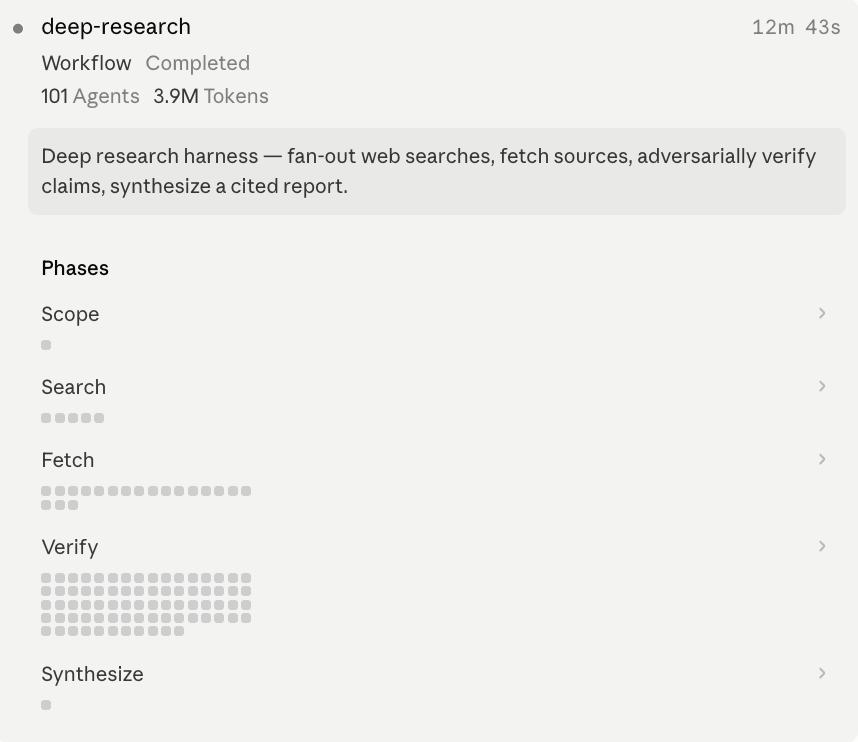
What those 101 agents did, in order:
It split my question into 5 angles. One agent read “research free MCP servers” and turned it into five different searches, each pointed at a different part of the problem.
It searched all 5 at once. Five agents, five web searches, running at the same time instead of one after another.
It read the sources and pulled out claims. More agents fetched each page, judged whether the source was solid, and extracted specific checkable statements. Nineteen sources fetched in this run.
It tried to disprove its own findings. This is the part that made me stop. It pulled 85 claims from those sources, ranked them, and sent the top 25 to 3 separate agents each, told to refute them and assume false unless proven. A claim survived only if it could not be knocked down.
It merged the survivors into one report. 18 claims survived the vote. 7 were killed outright. Synthesis collapsed the 18 into 7 final findings, the duplicates merged into the survivors.
That last number is the point. The cost was not buying me seven facts. It was buying me the seven bad claims that never reached the page.
One was the stat everyone repeats about the MCP registry: 2,000 servers. I paginated the registry myself. It is past 3,000. The workflow caught the wrong number and cut it before I ever saw it.
I asked for research. I got research that had already argued with itself.
Why dynamic workflows change how you work with AI
You already break big tasks into steps. You ask Claude to plan, you spin up subagents, you run things in order and stitch the results together.
It works. You are the one holding the plan.
A dynamic workflow moves that job to Claude.
It reads the task and decides what to split, what runs in parallel, what waits, and what needs checking, then runs the whole thing as the orchestrator.
The planning and sequencing and edge cases you would have had to think through, it handles itself.
On my runs it sequenced the work better than I would have.
That is what changes. Not that AI can run a hundred agents, you could arrange that yourself. What changes is who does the arranging and cleaning up.
The scale comes free on top.
Each agent gets its own clean memory and one small job, reads its slice, returns a short answer. The heavy reading stays inside that agent and never piles into your conversation, which is why a hundred can run without slowing your session.
What is left for you is the outcome. You describe what you want. Claude works out how.
For research, that means more sources cross-checked than one chat could hold.
For writing, drafting several sections at once and checking each against your voice.
For analysis, running the same question from four angles and keeping only what holds up.
Not orchestrating the work yourself. Describing the outcome and letting Claude orchestrate it.
The feature is the easiest way to run that, but not the only way.
Underneath it is a pattern you can run anywhere: break the work into pieces, run them at once, check them before you trust them. It works in any AI tool you already have open.
So I built the pattern into a template. The next part has the full teardown of the run that shocked me, the real runs behind each piece, then the template itself.
The full teardown of the dynamic workflow structure
The custom workflows you could runs
The workflow blueprint: a fill-in template plus 3 copy-paste recipes
Run it without access: how to get the same result in plain Claude or ChatGPT, no feature required
The other built-in workflows