

You give Claude a big, careful task. It runs, and it looks done. Then you read it closely, and the hard parts are missing: skipped, half-finished, quietly dropped under a confident summary. Claude is good at looking finished. Being finished is the part it routes around. This guide shows you the fix: the loop that keeps Claude working until the job is genuinely done, the right command to run it, and the finish line that won’t let it fake the ending.

Tell me if this sounds familiar.
You hand Claude something real. A long task, the kind you wrote a careful prompt for. Ten files to refactor. A full section to draft. A dataset to clean end to end.
It runs. It looks finished.
Then you actually read it.
Half the files got a one-line change and a note saying it is handled. The draft skipped the part that was actually hard. The cleanup stopped three steps in and declared the job done.
That was me, more times than I want to admit.
Claude is good at looking done. The hard part is exactly what it learns to route around, because the hard part is where it might fail, and a confident summary reads like success. You only catch it when you read every line.
I fought this for a long time. Hard rules in the prompt. Code that checked the output. Skills, gates, hooks, workflows. Each one fixed it for some jobs and left others open.
Then I leaned on the loop. Gradually, it became the first thing I reach for. It kept getting better, and it kept closing the gap the others left. It is feels like one of the most underrated features in Claude Code.
Turns out I am not alone. Boris Cherny, who built much of Claude Code, put it plainly: his job is to write loops.
A loop is just Claude working until something is true. The whole game is which command, and how you tell it what “done” really means. Get that right and Claude stops faking the finish.
This guide is how.
What’s inside:
By the end: you’ll have a loop running for your own work that keeps going until the job is genuinely done.
🎁 The Loop Starter Kit: 5 ready conditions and a safety-net config, grab towards the end.
Hi, I’m Jenny 👋
I believe anyone can thrive with AI, not by mastering the tools, but by building real things with them. I run Build to Launch and the Practical AI Builder program, where we go from experimenting to shipping. Come build with us.
If you’re new to Build to Launch, welcome! Here’s what you might enjoy:

What a Claude Loop Actually Does
Run a loop and Claude works until the job is confirmed done.
Claude Code calls this keeping a session running between prompts.
One moving part: Claude takes a turn, a check fires, it either goes again or stops. That check is the whole engine. Everything else is just how you run it with normal prompt.
The tools: The behavior is not new. People have been prompting Claude to keep going since day one. What changed is that Claude Code built tools around it.
/loop landed in March 2026, built for polling: check the deploy every five minutes, babysit a PR. It runs on a timer. Drop the interval and it becomes self-paced: Claude works, checks its own stop condition, goes again or stops.
Then in May 2026, /goal followed. Same loop behavior. The difference is who enforces the stop.
/loop (self-paced): Claude checks its own work inline each turn. /goal: a separate small model reads the transcript independently and decides. Both are loops. The distinction is just the judge.
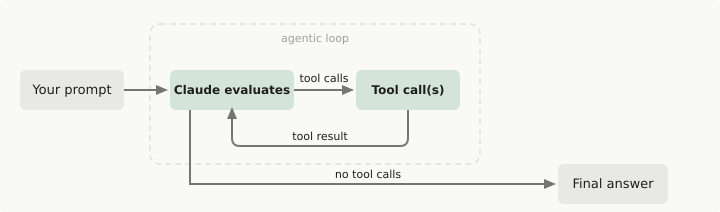
Beyond code: Almost every tutorial still frames this as a developer tool. Run the tests until they pass. Fix the failing PR. Code, code, code. That framing hides what it is actually good at. A loop does not care whether the job is code. It cares whether the job has a clear “done.”
I used it on code for weeks before that clicked. Then I pointed the same shape at a research brief. At a content draft. At a skill I was fixing. The only thing that changed was the finish line.
Four Ways to Run the Check
Prompt it yourself. Tell Claude every turn to check its work and keep going. It works, and you babysit it.
/loop(self-paced). Drop the interval and Claude enforces the stop inline. The condition lives in the prompt itself./goal. You write the finish line in plain words. After every turn, a small fast model reads the transcript and decides: condition met, or keep going with a reason.A Stop hook. Your own code that fires when Claude tries to stop and checks the work directly, for jobs that can’t be proven from the transcript alone.
The first option runs in any AI interface. The other three are in Claude Code.
Loop runs best when paired with an independent agent:
/goaluses a separate Haiku model that reads the transcript independently, so Claude in the main session is not judging its own work./loopcan match this by spinning up a subagent as the verifier, and that subagent has tool access.
Either way, Claude cannot route around the hard part. The condition has to be proven.
Below is four loops paired with visuals and videos. Each one ends when the work is actually done, and not when Claude thinks it is.
The simplest loop: run it once, watch it work. You’ll take the concept and hand off any repeating task.
The writing loop: walk away from a draft mid-progress. Come back to a finished write-up following your exact criteria.
The coding loop: walk away from broken code. Come back to a working build.
The research loop: hand off a topic. Come back to a complete report, action, experiment, scout, done for you.
The framework: three parts. Build a loop for any job you have.
The safety net: make sure your loop stops when the work is done. Even when done lives outside the conversation.
The Loop Starter Kit, 5 ready conditions and a safety-net config in one file: grab it at the end.
The Claude Loop in Its Simplest Form
Run these four prompts. You’ll be able to run any repeating task hands-off, with a real stopping condition.
Step 1: Output to chat.
/loop print Tick in the chat every 5 minutes, end after 5 turns
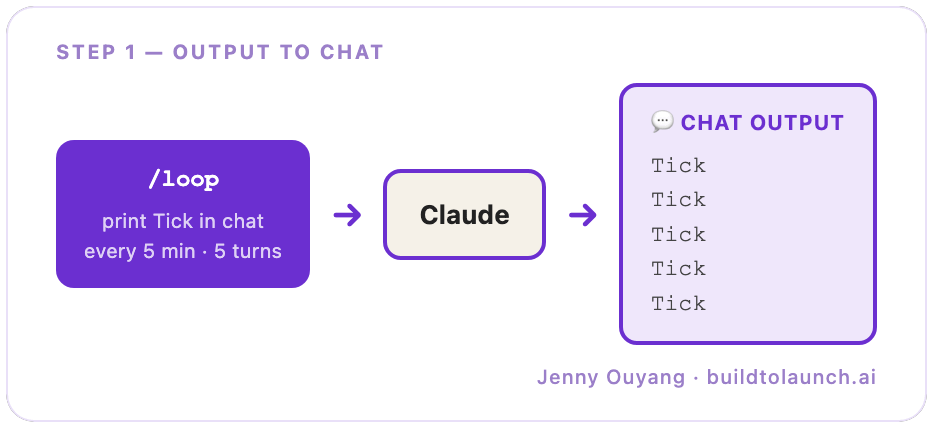
Claude prints “Tick.” Five times, then stops. Watch what’s happening: Claude re-enters the same task on a timer, one turn at a time. That’s the loop.
Step 2: Output to a file.
/loop write the current time to ~/test-loop.md every 5 minutes, end after 5 turns
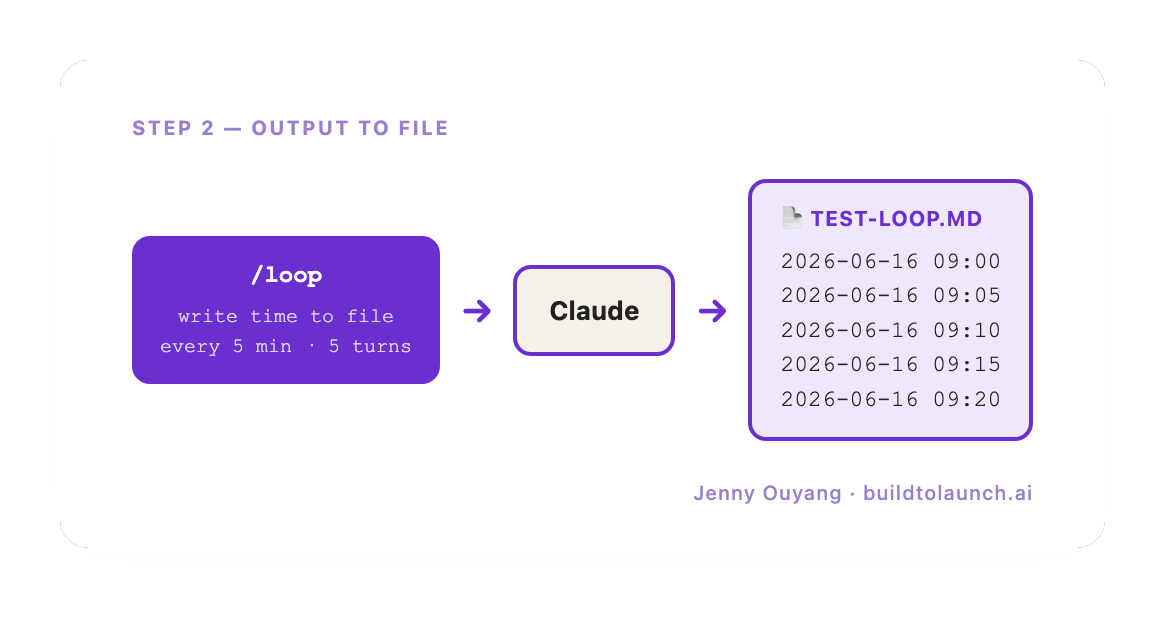
Same loop, different output. Now Claude writes to a file. The work goes somewhere real; the chat stays quiet.
Step 3: Read from a file, stop when it’s done.
Create test.md:
- [ ] request 1
- [ ] request 2
- [ ] request 3
Then:
/loop Read test.md, find the next unchecked line, add a checkmark, save the file. Stop when all lines have checkmarks.
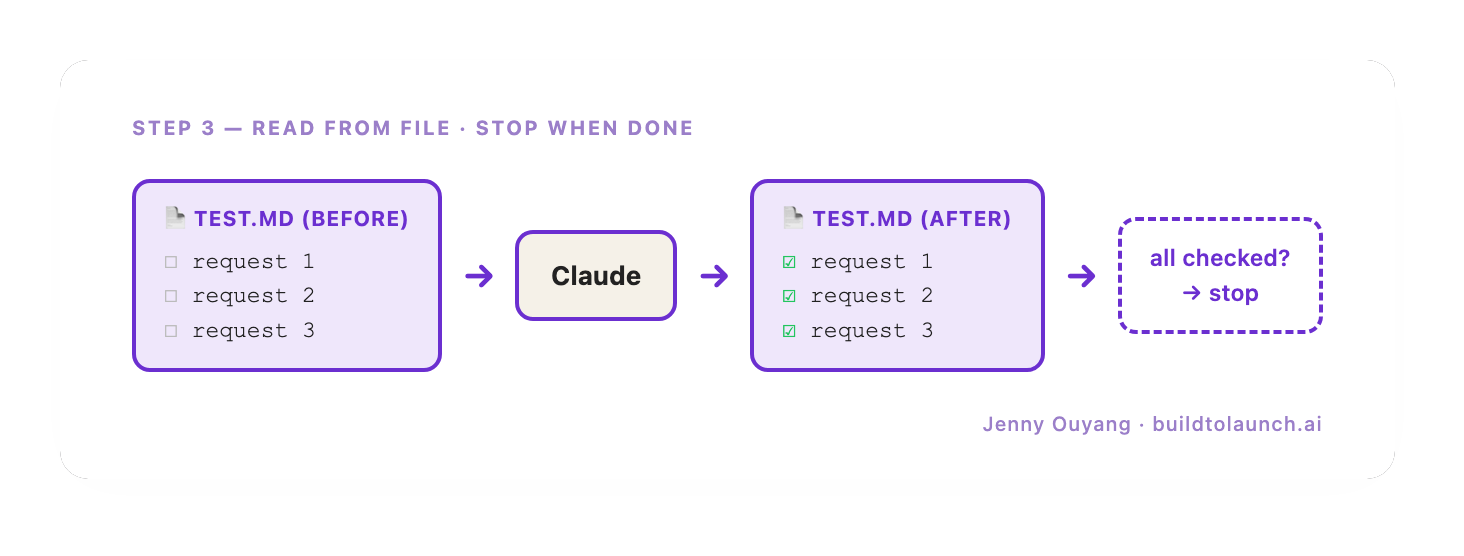
Now the loop has an input and a natural end. It doesn’t run for N turns because you said so. It runs until the file is finished. The file defines done.
Step 4: Intake, execute, update.
Create test2.md:
- [ ] output Tick 1
- [ ] output Tick 2
- [ ] output Tick 3
Then:
/loop Read test2.md, find the next incomplete line, follow its instruction, mark that line complete in the file. Stop when all lines are marked complete.
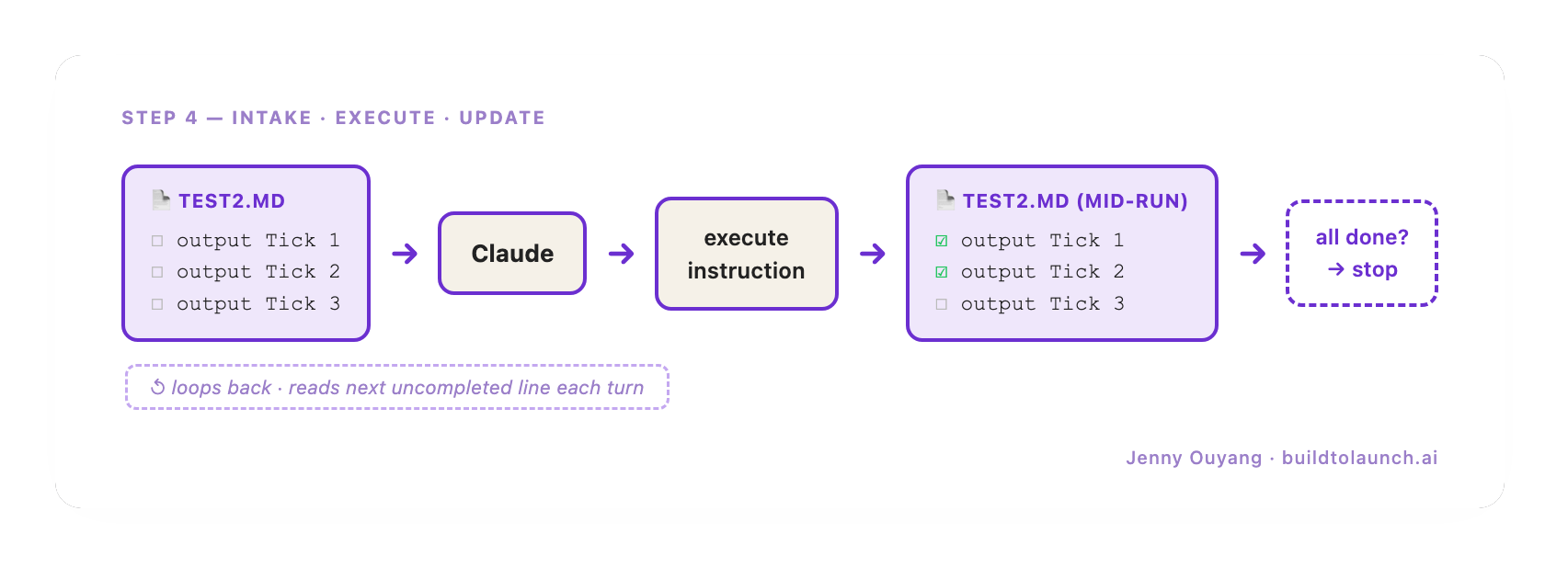
The loop reads its own instructions, executes each one, marks it done, and stops when the file runs out. The file is the agenda. The loop works through it.
You can now run any repeating task and trust it to stop on its own. The writing loop, next, applies that shape to a draft.